
Good oral health shouldn’t be a luxury; it’s a necessity. Thanks to the Canadian Dental Care Plan (CDCP), more Canadians can now access affordable dental care without worrying about high treatment costs. But once you’ve applied for the CDCP, the next big question is: How do I check CDCP status?
In this guide, we’ll walk you through everything you need to learn to check Canadian Dental Care Plan status, from checking your application online to fixing common issues that might come up. Whether you’re waiting for approval or trying to understand what comes next, this article will make the process simple and stress-free.
This form is for dental appointments only
We cannot check, update, or process Canadian Dental Care Plan applications. Only Service Canada and the CRA can access your CDCP file.
To check your status, use the official CDCP status checker on Canada.ca.
Already approved and ready to see a dentist in Oakville? Use the form below to request an appointment.


Eligibility to Use the Status Checker
Before you can check your Canadian Dental Care Plan status, you must meet certain eligibility requirements. The CDCP is managed by Health Canada in collaboration with Service Canada and the Canada Revenue Agency (CRA), and only applicants who have submitted a valid application can access the status tracker.
You can check your CDCP status online if you meet the following conditions:
| Requirement | Description |
| Residency | You must be a Canadian resident for tax purposes. |
| Tax Filing | You must have filed your tax return for the previous year, as the program uses your income data from CRA to determine eligibility. |
| Income Threshold | Your adjusted family net income must be under the program’s annual limit (below $90,000, with full benefits for those earning less than $70,000). |
| Private Coverage | You must not have access to private dental insurance through work, school, or another plan. |
| Age or Group Eligibility | All age groups are eligible. |
Steps to Check Check Canadian Dental Care Plan Status Online
Once your application has been submitted, you can monitor its progress through Service Canada’s official online portal. The process is straightforward, but it’s important to follow each step carefully to ensure accurate results.
Go to the Official Website & Sign In
To begin, you can simply enter the status checker tool section using the provided link or visit the Apply page of the CDCP section on the Government of Canada website, Canada.ca. To access your application, you’ll need to sign in securely using one of two options:
- Service Canada Account (My Service Canada Account – MSCA), which is ideal if you already use Service Canada for Employment Insurance, CPP, or OAS.
- CRA Account (My Account for Individuals), if you handle your taxes or benefits online, this option might be faster.
Both login methods are connected through SecureKey and ensure that your personal information, such as your Social Insurance Number (SIN) and income details, is protected.
Tip: Avoid third-party websites claiming to check your status; they may not be secure.
Enter Required Information
Once logged in, provide your Social Insurance Number (SIN), date of birth, postal code and possibly your application reference number (if available). These details help the system locate your application accurately. Make sure the information you enter matches exactly what you submitted in your application form.
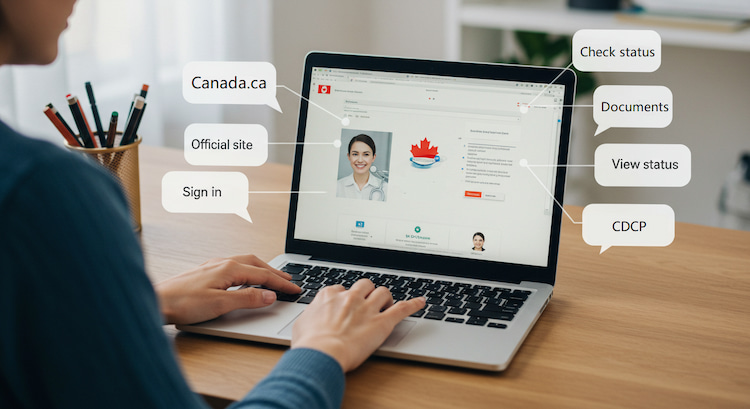
View Your Application Status and Updates
After verification, you’ll see your current status, which might include one of the following:
- Submitted: Your application has been received and is under review.
- In Progress: Health Canada is processing your information and verifying eligibility.
- Approved: You’re eligible for coverage! You’ll receive a welcome package soon.
- Incomplete: Additional documents or details are needed; check your messages or email.
- Declined: You don’t currently meet the eligibility criteria.
Contact Us for CDCP-Covered Services
At Smile Point Dental, we proudly support the Canadian Dental Care Plan. If your application is approved, you can book your covered treatments with us right away!
Schedule your appointment today and start your journey to a brighter, healthier smile.
Common Issues When Checking Online (and Fixes)
Sometimes, applicants face technical or verification problems when trying to view their CDCP status. Here are a few common ones and how to fix them.
| Issue | Cause | Solution |
| Login error | Using the wrong credentials or expired passwords | Reset your password through Service Canada or CRA’s secure login page. |
| “Application not found” | The system hasn’t updated yet or data mismatch | Wait a few days after submission or double-check your SIN and date of birth. |
| Technical error or frozen page | Browser or system issue | Try clearing your cache or switching browsers (Chrome or Edge works best). |
| Access denied | Using the wrong account type | Make sure you’re signing in with the same platform used to apply (CRA or Service Canada). |
Further Reading: How Can I Get Free Dental Care In Ontario
What to Do After You Get Your Status
Once you know your CDCP application status, it’s time to plan your next steps:
- If Approved:
You’ll receive a welcome package from Sun Life, the program’s official administrator, containing your CDCP card, coverage details, and instructions on how to use your benefits at participating clinics like Smile Point Dental.
- If Incomplete:
Log back into your account to upload the missing documents or update any incorrect details as soon as possible to avoid delays.
- If Declined:
Review the reason for the decision; often, it’s related to income or eligibility. You can reapply if your circumstances change (for example, your income drops or your private coverage ends).
Remember: The CDCP is expanding gradually, so even if you’re not eligible now, you might qualify in the next phase. Keep checking for updates on Health Canada’s website.
Check out this article: 11 Easy Tips to Find the Best Dentist Near You in Oakville

Got Approved? Start Your Next Step Here
The Canadian Dental Care Plan is a major step toward making oral healthcare accessible for all Canadians. By understanding how to check your application status and what to do next, you can make sure you don’t miss any updates or benefits you deserve.
At Smile Point Dental, we’re proud to be part of this positive change. Whether you’re already approved or waiting for your status, our team is here to help you every step of the way, from application support to professional dental care covered under the CDCP.
Book your CDCP appointment today at our Oakville dental clinic and experience stress-free, affordable care!
FAQ
How do I check the status of my dental benefit application in Canada?
You can check your CDCP application status online through the Service Canada or CRA My Account portal. After logging in, enter your SIN, date of birth, and other details to view updates.
How long does it take to get a dental plan in Canada?
Processing times can vary, but most applicants receive updates within 6 to 8 weeks after applying. Delays can happen if your documents are incomplete or if additional verification is needed.
Will seniors get free dental care in Canada?
Yes, seniors aged 65 and older are among the first groups eligible for the Canadian Dental Care Plan, which offers free or low-cost dental services based on income level. At Smile Point Dental, we offer specialized dental services for seniors in Oakville through the CDCP.
What is the income limit for dental benefits in Canada?
As of 2026, individuals with a family net income under $90,000 can qualify for the CDCP, with full coverage available to those earning less than $70,000.
Have questions about your application or experience checking your status? Share your story in the comments below; we’d love to hear from you!